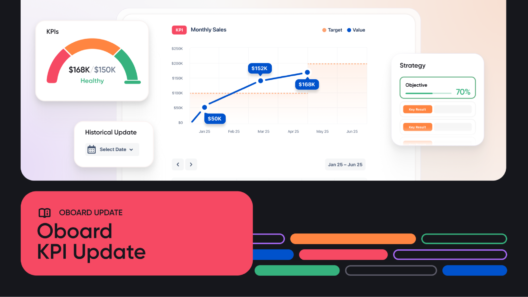
Timely check-ins are essential to understand where your teams are and what challenges they are facing. With the new Oboard release, you can track updates from your entire team in a single, central check-in feed and share individual check-ins in a couple of clicks.
Here’s how to make check-ins work in three simple steps:
Step 1: Check when the last update happened
Wondering if there’s no progress or if someone just forgot to share an update?
Now you can clearly see when the last check-in took place across multiple views:
- Home Page
- Custom Dashboard
- Alignment view
- Roadmap

Step 2: Share your updates
Click on the calendar icon within the objectives or metrics you own to open the check-in window. Here you can update progress values and share the related context simultaneously.

Step 3: Review Past Check-Ins and Build Context
Every update you make in Oboard becomes part of a running timeline — no spreadsheets or Slack scrolls required.
While submitting a new check-in update, you can easily view the latest check-in in the same window. To access the previous update, you simply need to click the “Show latest check-in” button:

You can also easily access check-in history by scrolling down the comments section underneath your objective or metric.

Check-ins history underneath the Key Result
These continuous updates create a living history of your OKRs and KPIs, so you can track patterns, identify what’s working, and make informed adjustments.
Introducing Check-In Feed: One Place for Every Update
All check-ins are displayed in a shared feed, allowing everyone to stay in the loop — no extra meetings or manual reporting needed. The feed shows updates chronologically, including timestamps, progress changes, and author names.

Each check-in captures three key details:
- Value: How far you’ve come
- Progress: The change since the last check-in
- Status: Automatically updated (on track, behind, or at risk), but can be adjusted manually
- Update: Context you provide in the comment form
You can reply directly to a teammate’s check-in to ask questions, share feedback, or celebrate wins, keeping collaboration natural and asynchronous. This combination of historical context and real-time visibility ensures no progress goes unnoticed and every win is recognized.
Pro Feature: Tie It Up with Scheduled Reminders
To support the new unified check-in workflow, you can set up the reminders:
- Weekly
- Biweekly
- Monthly
- Custom
Check-in reminders are sent automatically via Slack, Microsoft Teams, Discord, email, and in-app, so nothing slips through the cracks. It’s a small addition to how you should do check-ins that makes a big difference.

Why This Update is Important for Teams
Recurring check-ins help teams build alignment and accountability. This update moves that needle forward by providing easier ways to connect teams without piling on more meetings – saving hours in correspondence time and keeping everyone on the same page. Want to see how it all comes together in real time? Book a quick demo and explore how Oboard makes team alignment easier.