Changelog
Find out about our latest product changes as we continue improving Oboard to enable your team to collaborate better.
Subscribe to our Newsletter
Receive the latest product updates, tips and tricks, news, research articles right into your inbox. Once a month, only valuable content.
New Home Page
Meet your new Home page: the right goals, ready every day
Start each day with the goals and updates that matter to you. Oboard’s redesigned Home page gives you a ready-to-use view of progress and check-ins.
Choose your workspaces, pin the teams and people you return to, and select all the relevant intervals. Your Home page stays focused on what matters now: whether you’re preparing for a team meeting, checking your own progress, or finding out where support is needed.
Keep your everyday views one click away
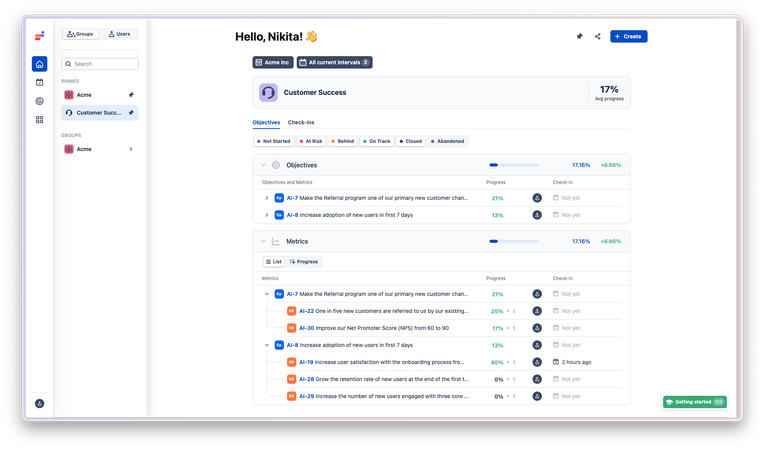
Find a department or team in the Groups sidebar, or switch to Users to focus on an individual. Pin the ones you follow regularly and move between them without searching again.
Select one or several workspaces to bring the relevant goals into the same view. Each selected team or person has their own overview, ready when you need it.
Stay current as the planning cycle changes
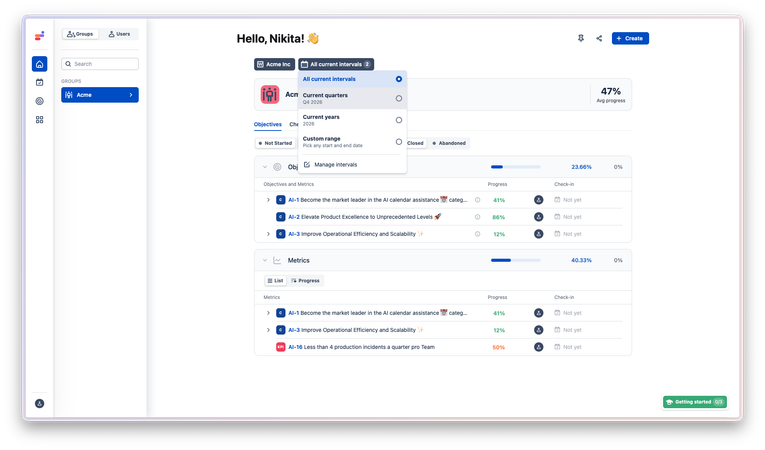
With All current intervals, your overview follows the intervals that are active when you open Home. Annual priorities and quarterly goals can appear together, and the view moves with your planning cycle.
Want a narrower focus? Choose Current quarters, Current years, or a Custom range.
See what needs attention—and what’s behind the numbers
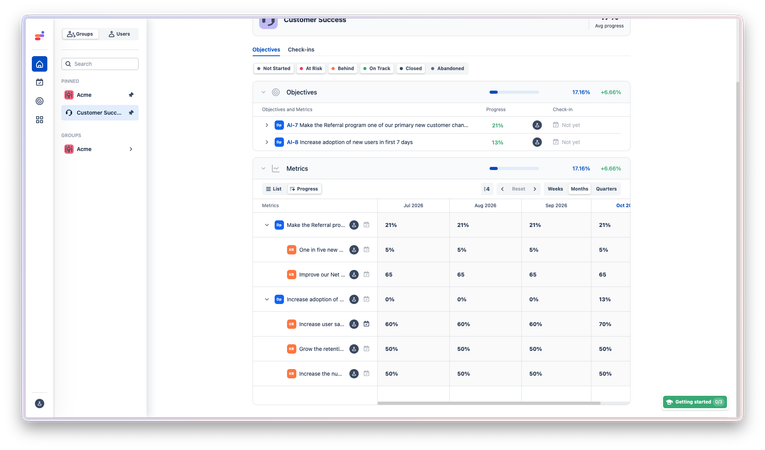
Objectives and Metrics sit in separate sections on the same page, making it easier to review both. Expand the hierarchy for detail, use status filters to focus on goals that are At Risk or Behind, and switch Metrics from List to Progress to review change over time.
Open the Check-ins tab to read the updates behind the numbers: what changed, what is blocked, and what happens next. Reply or react to keep the conversation close to the goal.
Follow the Home page guide for the setup steps and a simple daily review routine.
- Home page: Major rework adding new navigation cross-workspace and cross-interval support
Tell us what you think:


Important: Forge Update Completion Required
We’re rolling out a new Forge update today. This one requires confirmation from your side.
You won’t lose access to the app if you don’t do this right away.
To complete the update, please ask your Jira admin to:
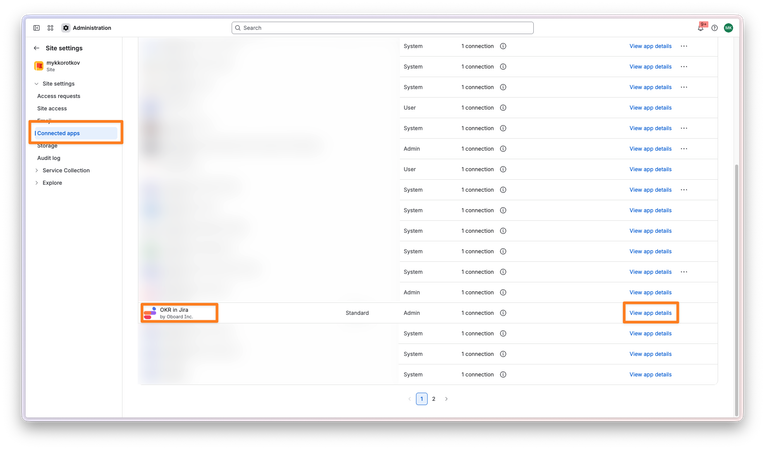
- Go to Jira Administration / Marketplace apps
- Open Connected apps
- Find our app → View app details
- Click Update
It only takes a minute to complete, and there’s no data loss involved.
If you need more details, please contact us via [email protected]
Tell us what you think: